
Netskope Cloud-based Fingerprint File Manager
A new product line to enhance security, a tool for security engineers to upload and manage important documents, and safeguard against data loss.
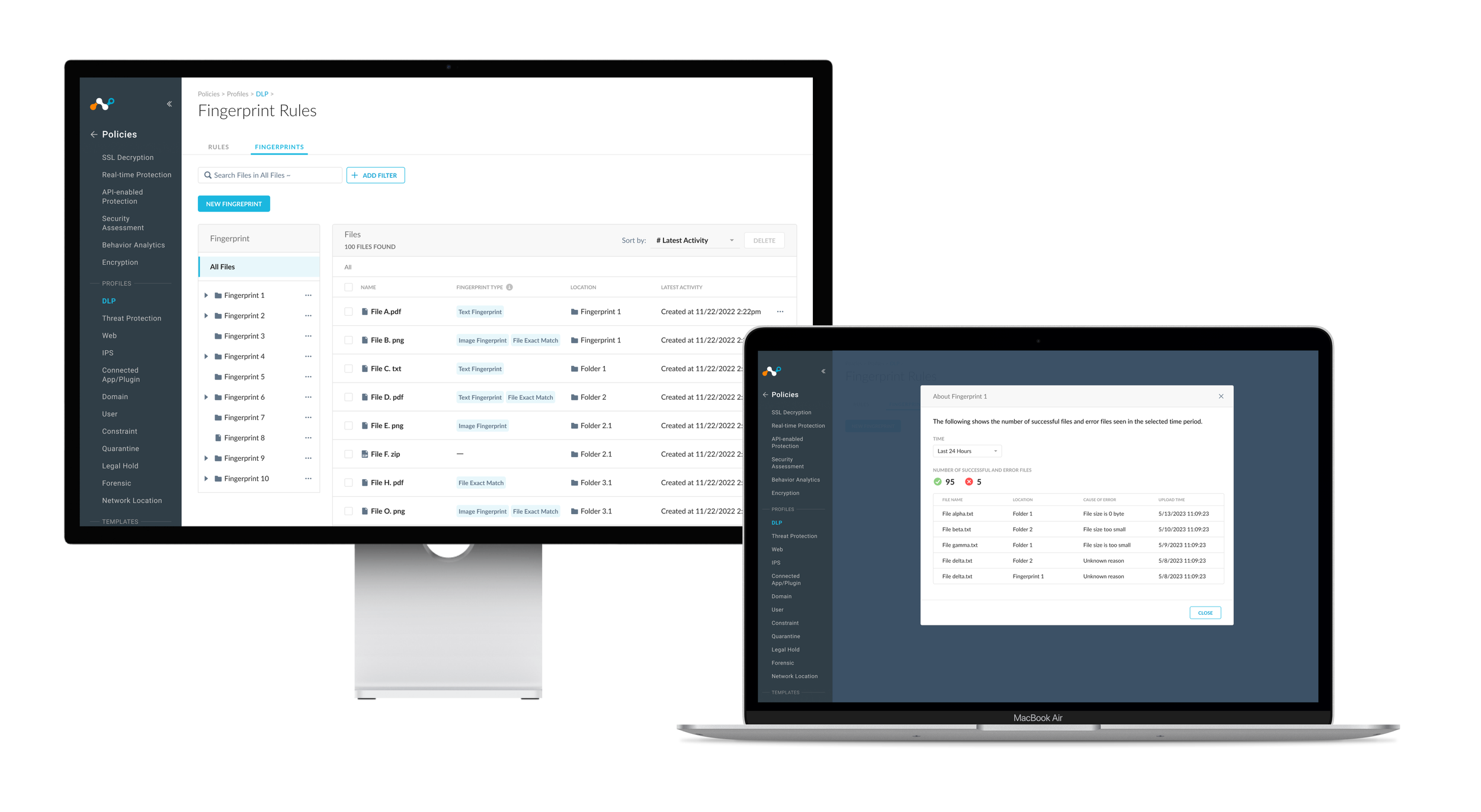
Brief
Netskope Cloud DLP is a cybersecurity solution that detects threats to prevent data loss. However, when it comes to files, certain images and CAD files cannot be detected, and false positives often occur.
To strengthen security layers and increase detection accuracy, we expanded the product line by integrating fingerprint technology for scanning images and CAD files.
As the design owner of Netskope DLP, I led the 0-1 design of a file manager that allows users to upload files for fingerprint scanning. This enables them to scan a broader range of file categories, reduce false positives, and ultimately prevent data loss.
Impact
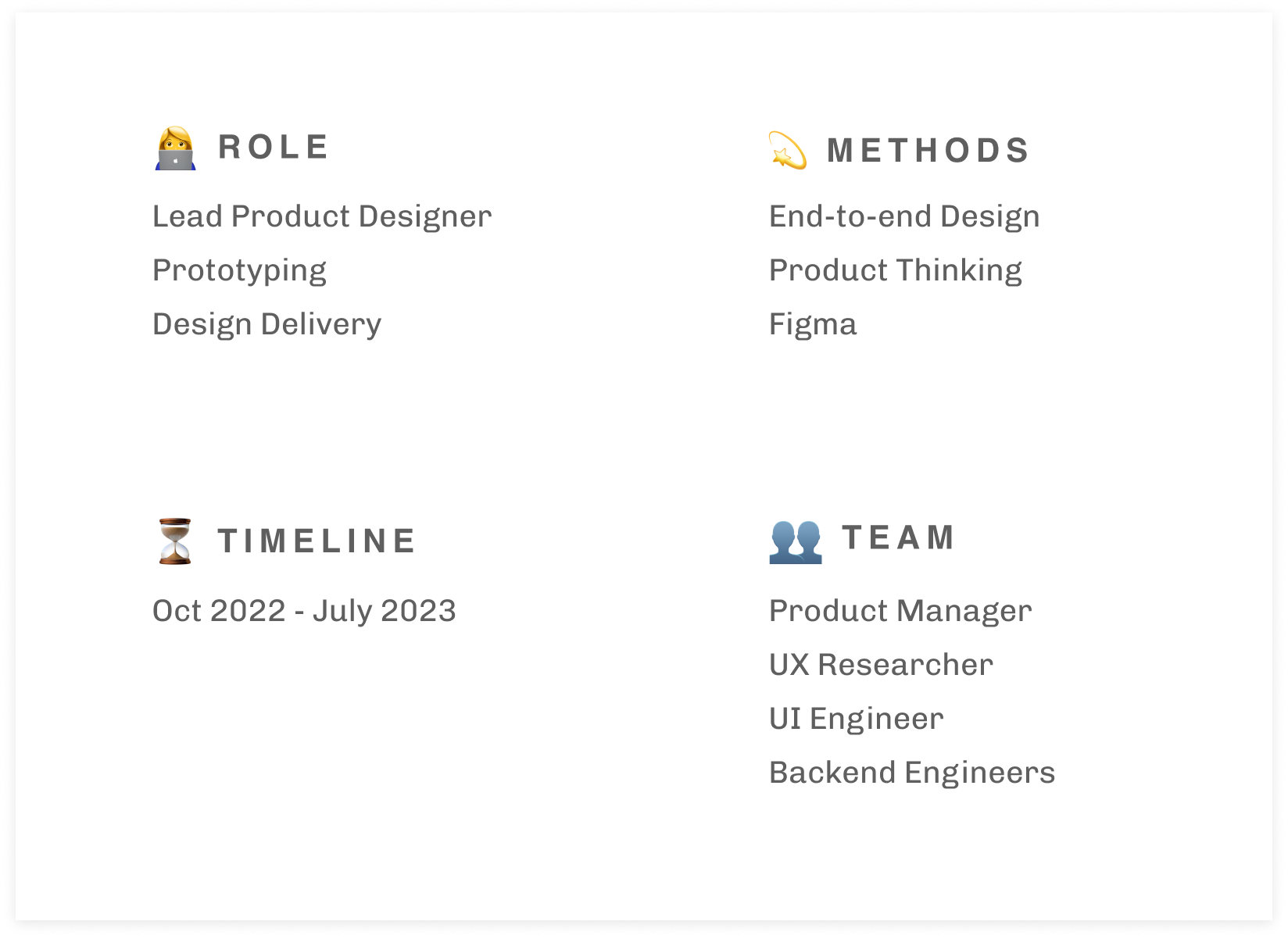
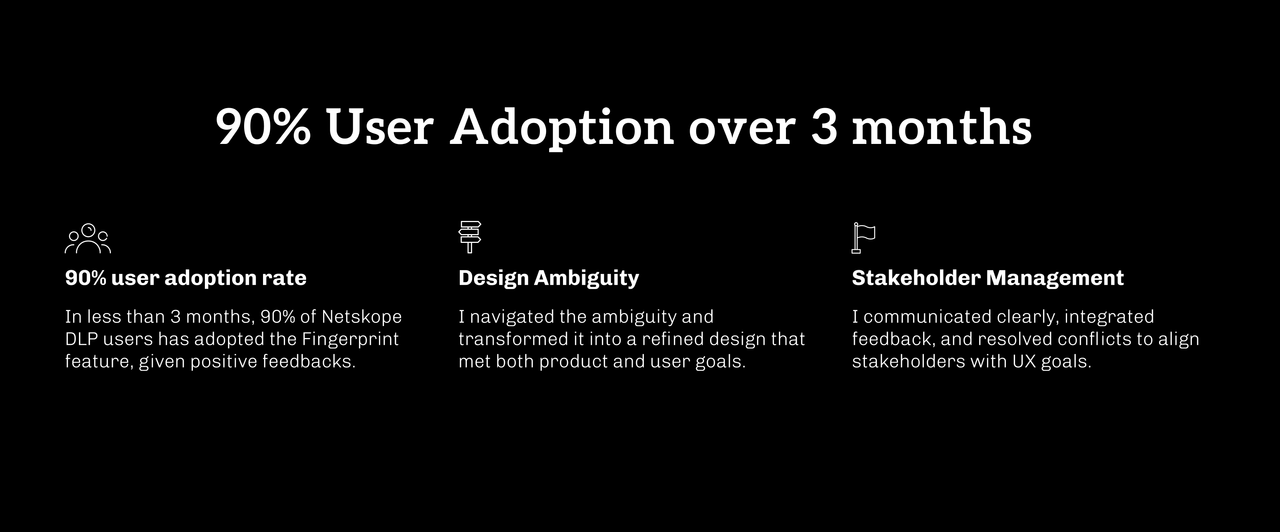
After 8 months, the design was launched and implemented, receiving positive results and a great user adoption rate. I not only led the design but also demonstrated my strength in navigating ambiguity and managing stakeholders.
Overview
Current State
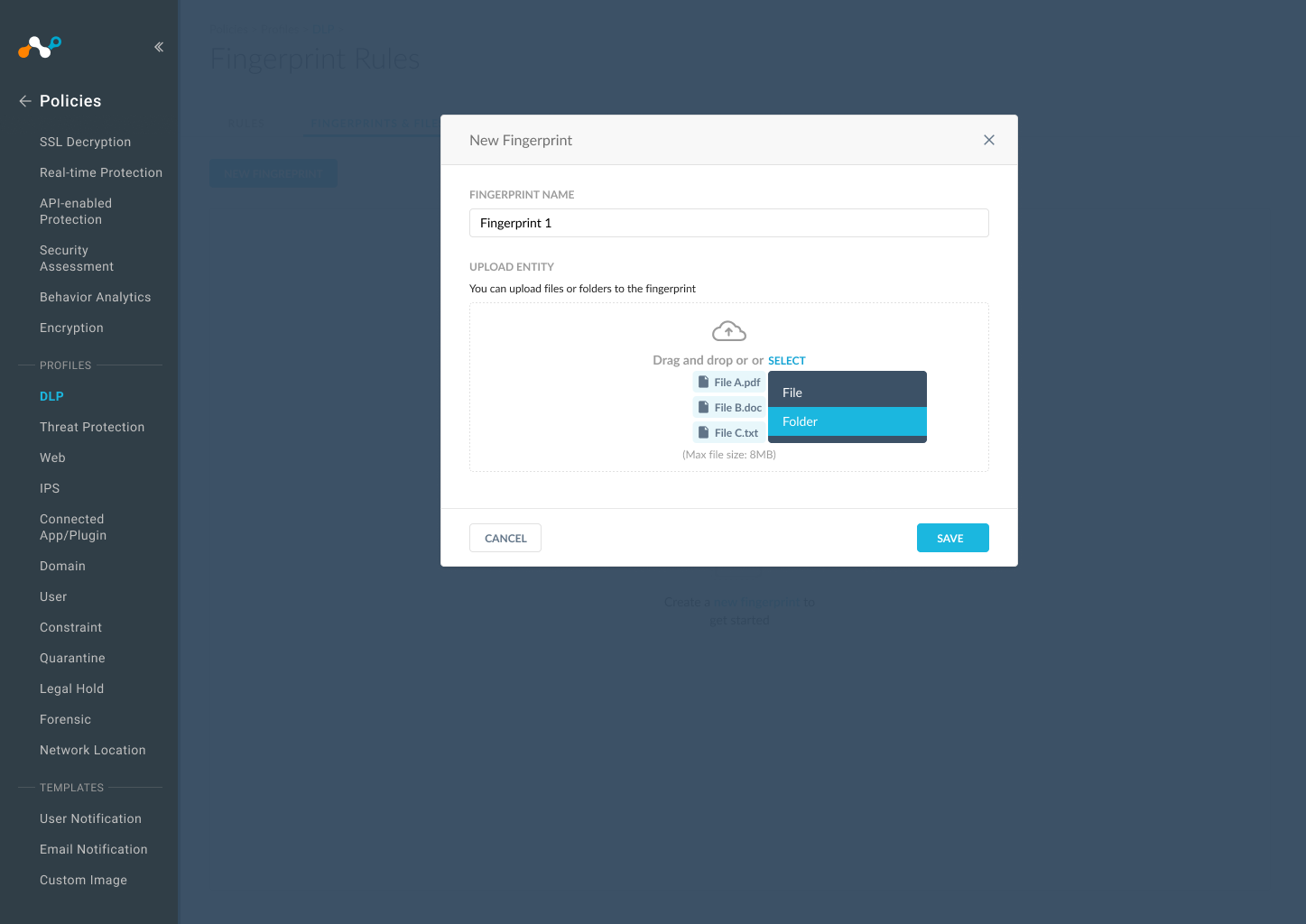
To use fingerprinting for scanning Image and CAD files, users must first upload the files to be fingerprinted and then include them in the policy. Currently, users lack a dedicated interface for this; they upload files via command line for fingerprinting.
The Problem
Users are unable to manage fingerprinted files, resulting in failure to include them in a policy.
Without adding them to a policy, suspicious image documents and CAD files cannot be detected. Due to the limitations of the command line, users are unable to access essential information and perform certain actions, which prevents them from adding files to a policy.
Solutions
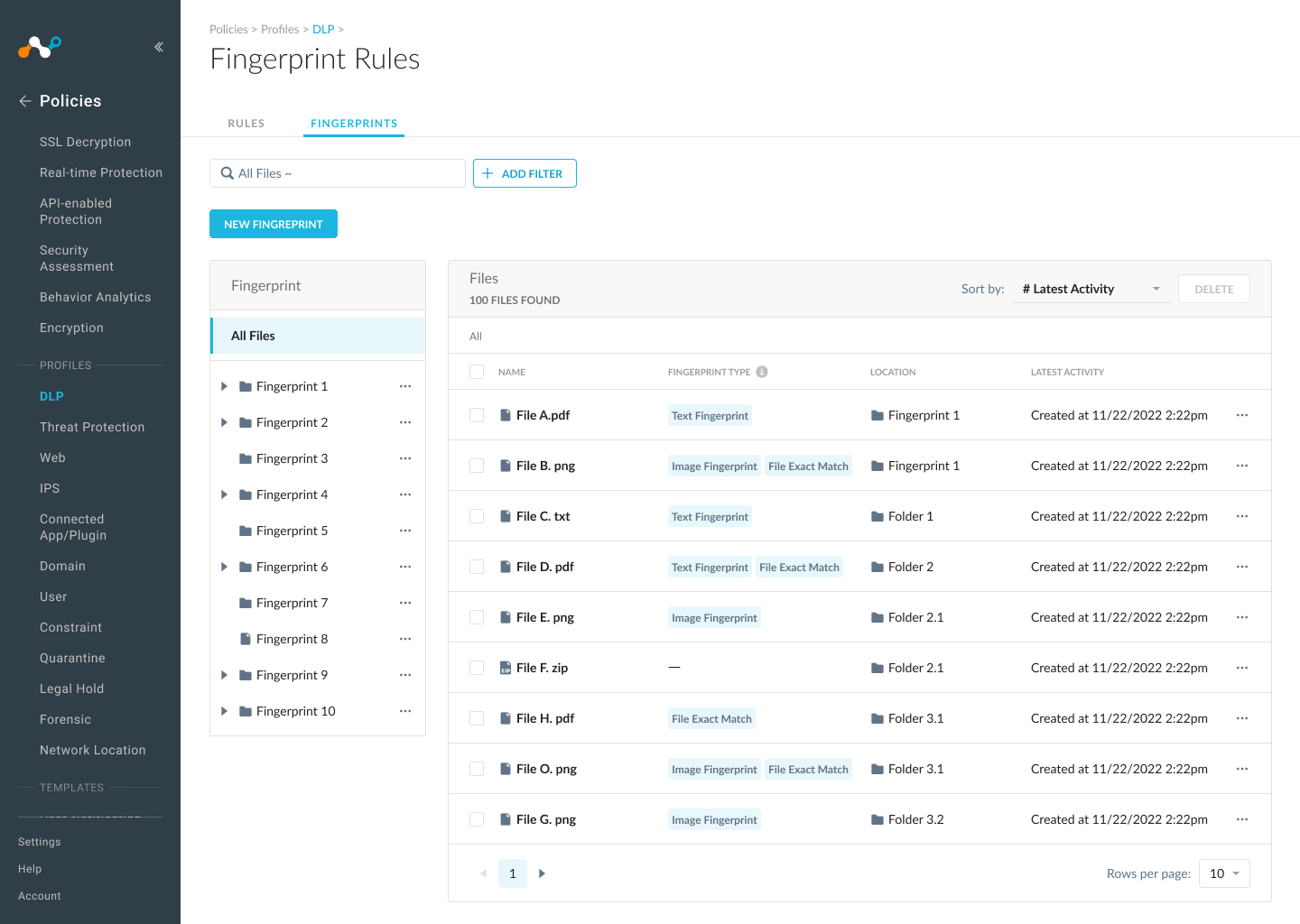
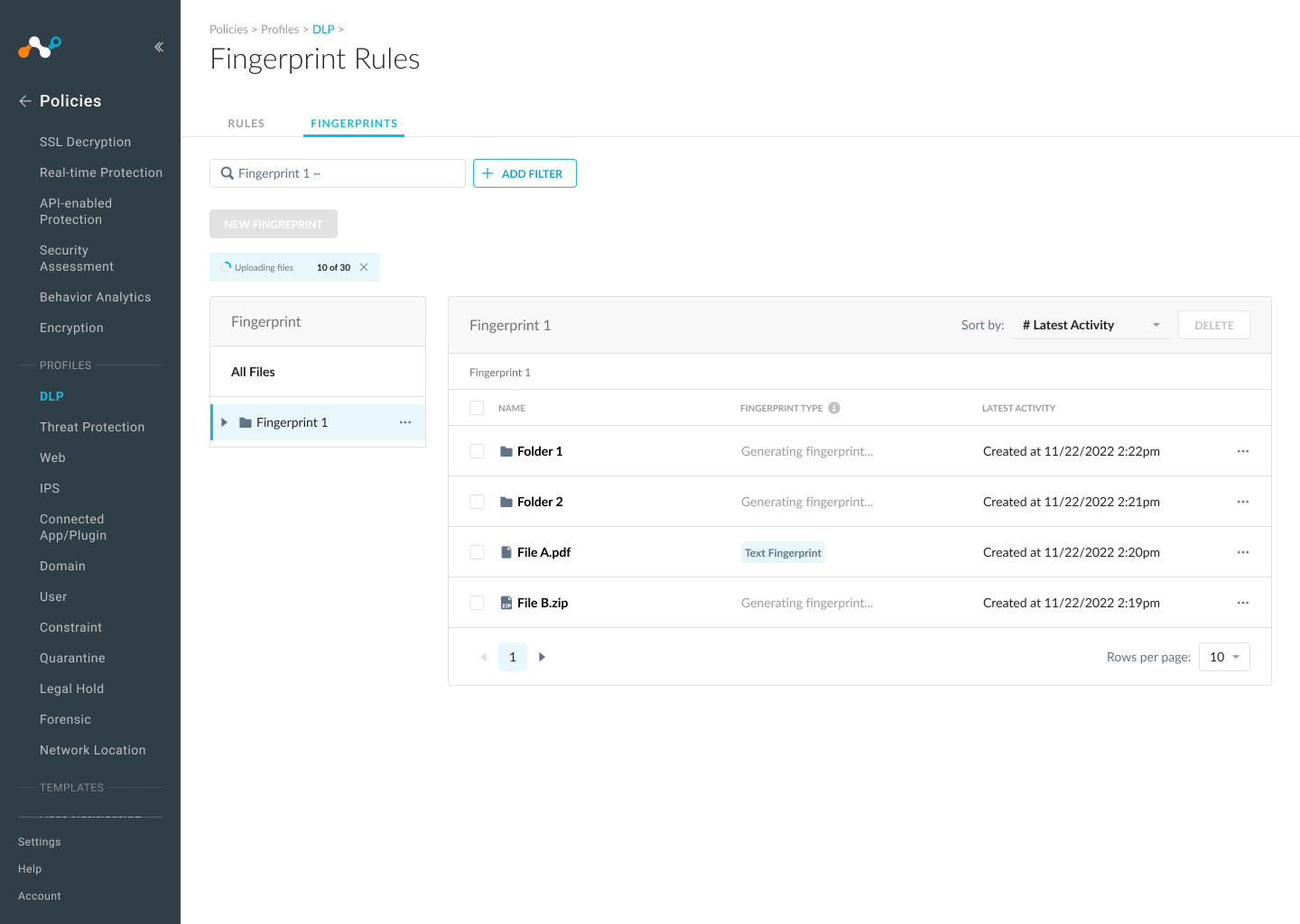
A file manager that allows users to locate and interact with files and folders, access critical fingerprinting information, and edit, replace, and delete files.
Discover
Project Challenge
The challenges are more than just design
There are two significant challenges in this project.
1. Design ambiguity. The PRD is ambiguous and technical, so the challenge was to transform this ambiguity into an engaging experience that meets both product and user goals.
2. Stakeholder management. Given the scope is big, the challenge was to manage stakeholders' expectations and resolve conflicts to ensure both UX and product goals are achieved.
My Approach
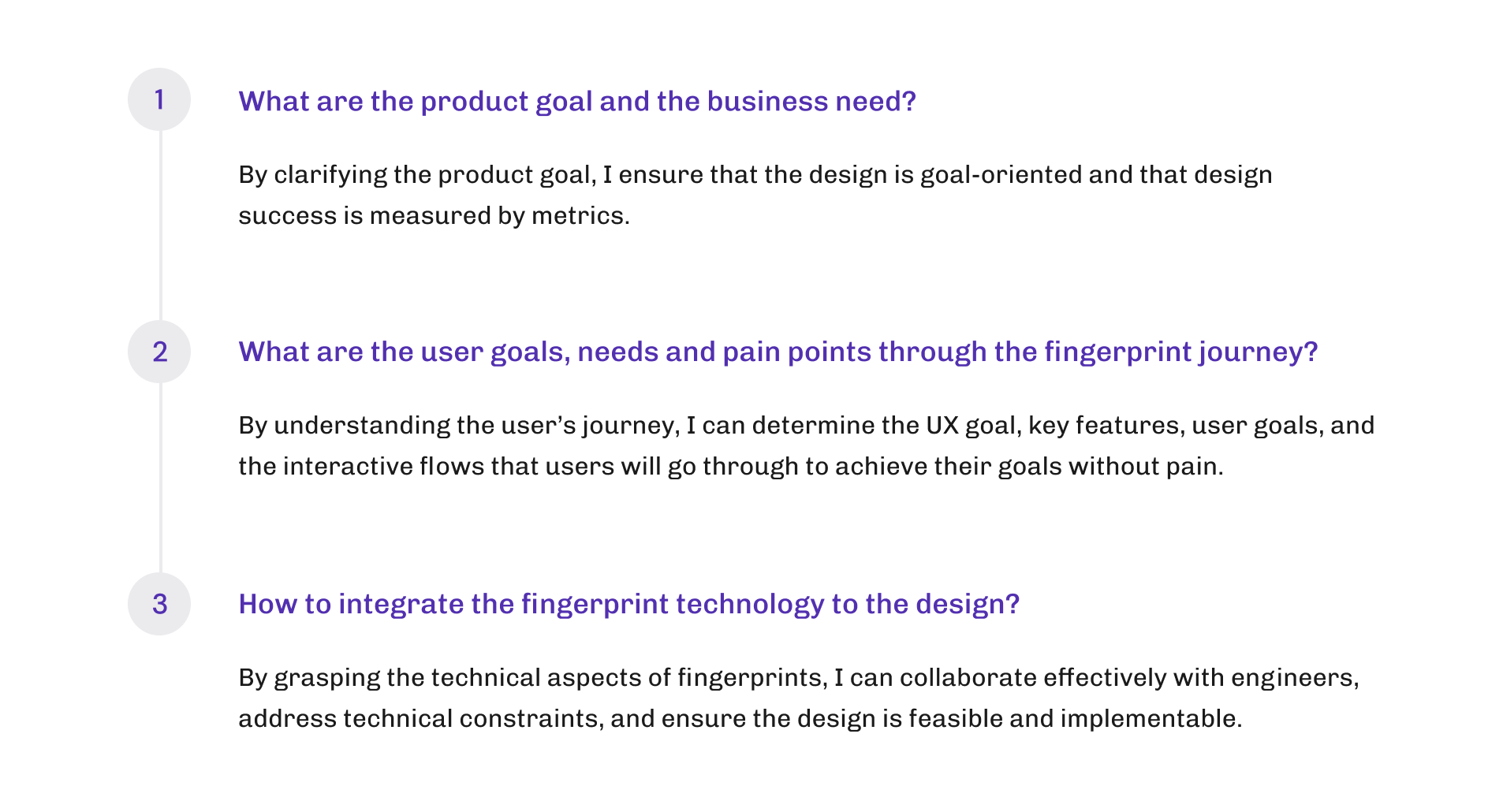
I started listing some critical questions as a guideline to navigate through the ambiguity. The findings and insights from these questions will provide a clear picture of the UX goals and the design direction.
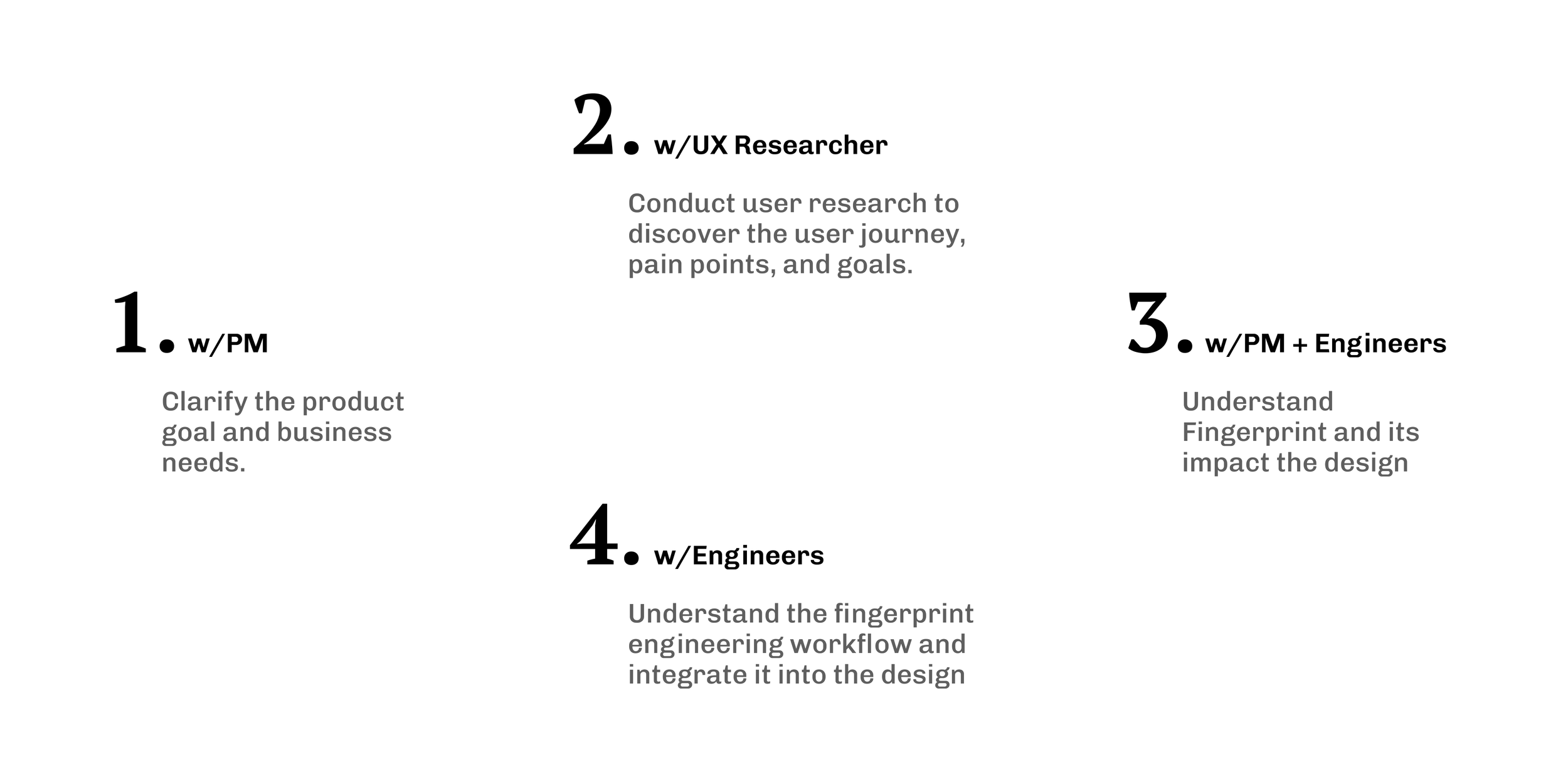
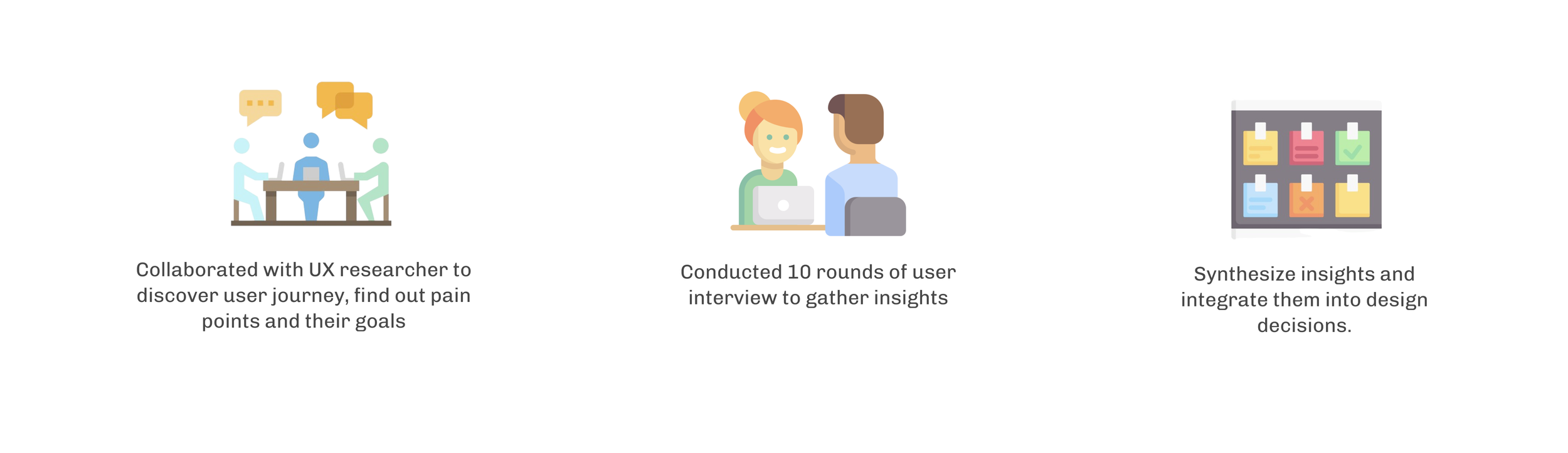
To gather insights and find answers, I reached out to several stakeholders to conduct research and initiate communication.
Product Goal
DLP has a growing need to detect suspicious image and CAD files, but the current scope does not meet this demand. The product goal is to launch fingerprint detection so that additional categories of files can be scanned to prevent risks and data loss.
The measurable goal is to have 80% of DLP users adopt fingerprint detection.
User Research
Define
User Journey
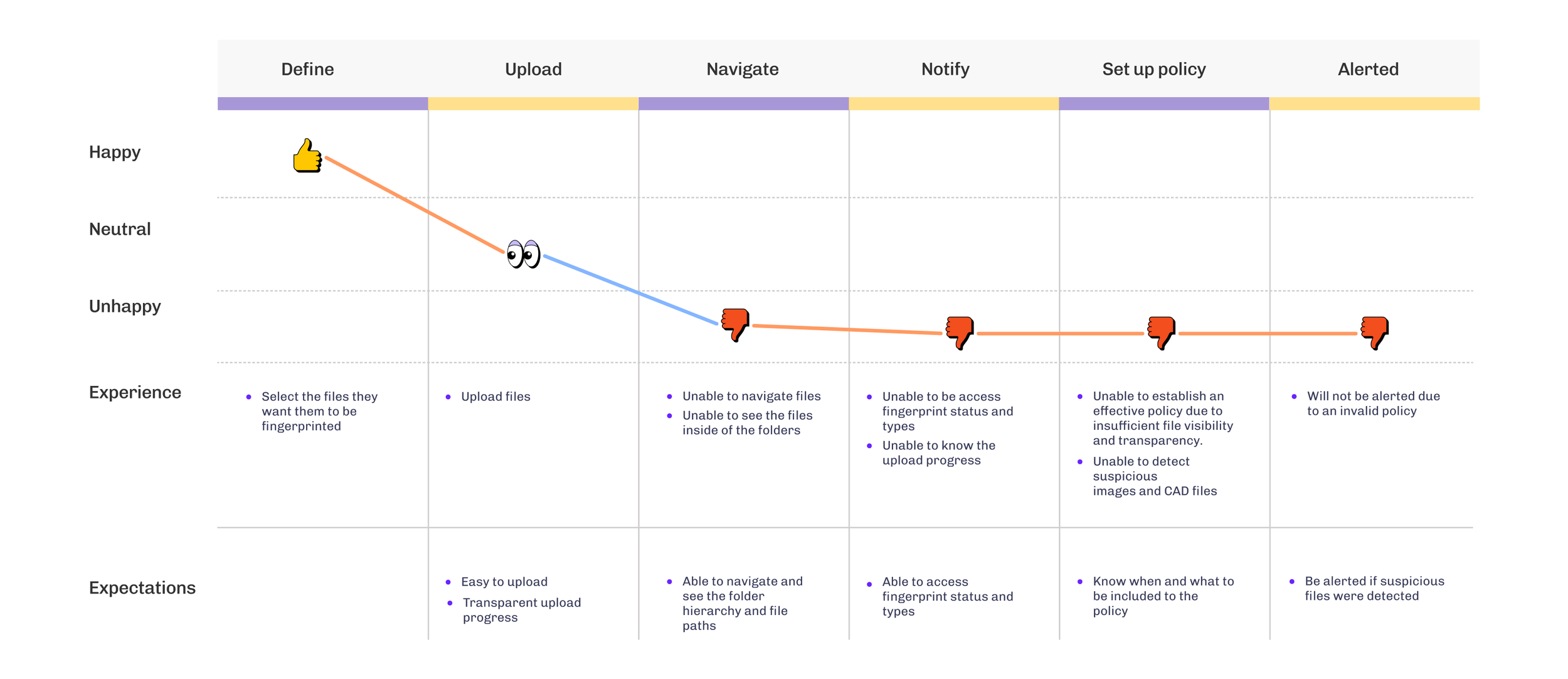
The ultimate goal of the fingerprint user journey is to create an effective policy to prevent data loss.
To use fingerprint technology for detecting image and CAD files, users must first define the documents and upload them to Netskope. They should ensure the documents are successfully uploaded and then wait for Netskope to fingerprint the files.
Based on the fingerprint status and type, users will add the files to the policy accordingly. If any suspicious files that match the fingerprinted files pass through the Netskope portal, users will be alerted.
Pain Points
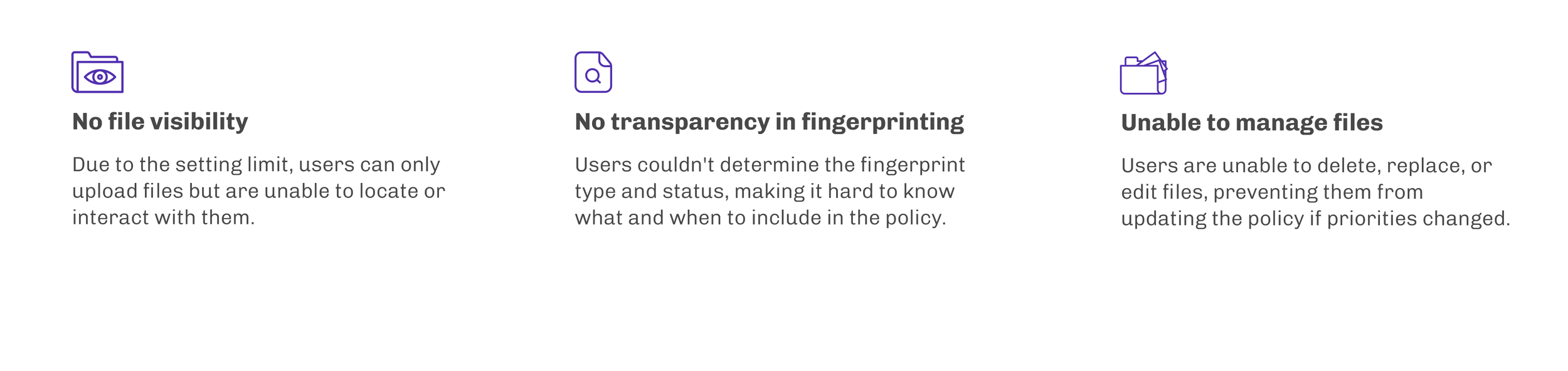
Currently, there is no interface for users to upload and manage files. Users have no transparency about the fingerprint type and status, resulting in the failure to set up a policy to monitor suspicious files.
During the interview, I observed and understood the goal of each journey that the user went through to gain a clear picture of the key flow I am going to design. Users also walked us through the pain points they encountered during these journeys.
UX Goal

Design
User Flow #1
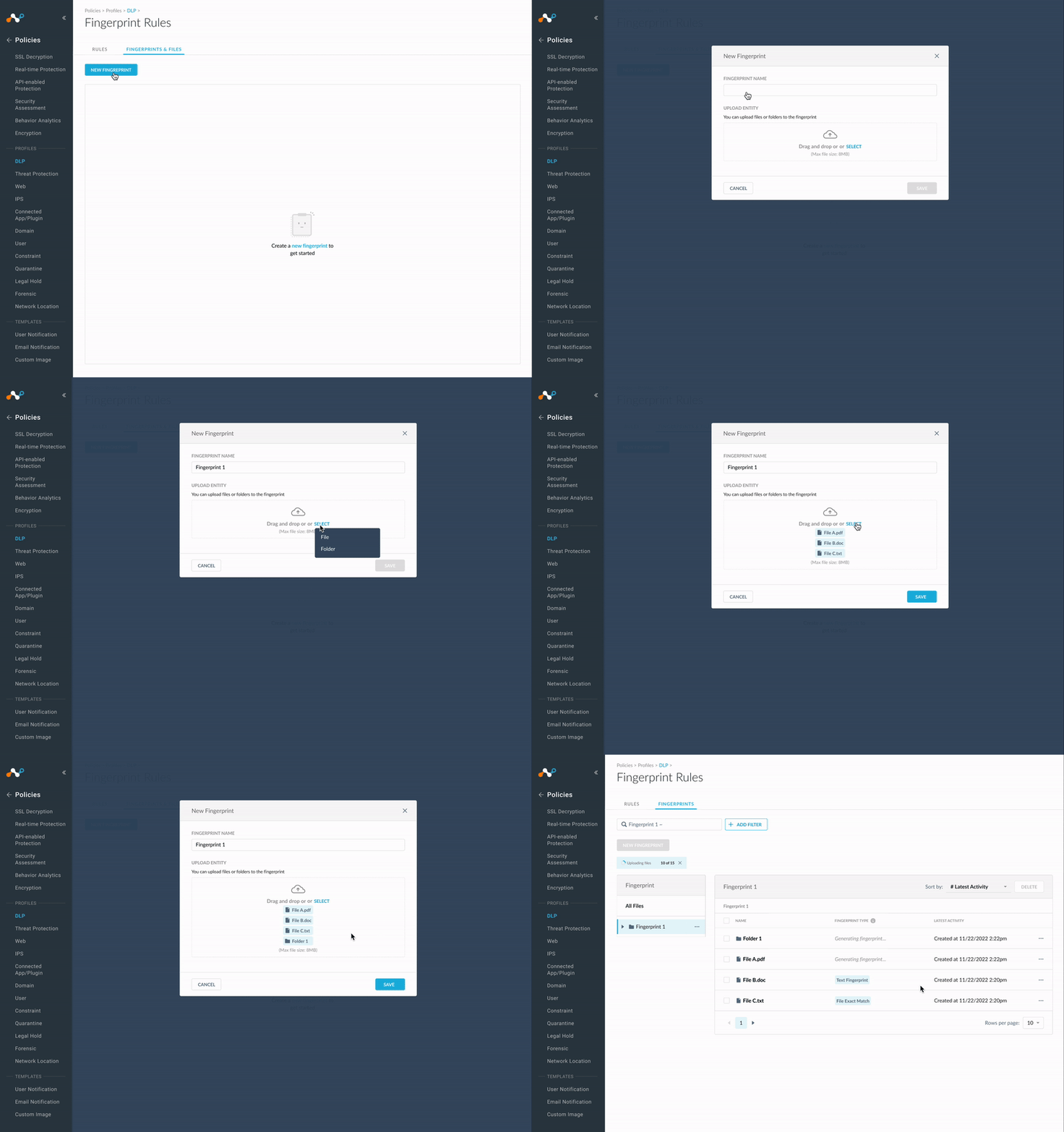
Create a Fingerprint Group and upload files to the group
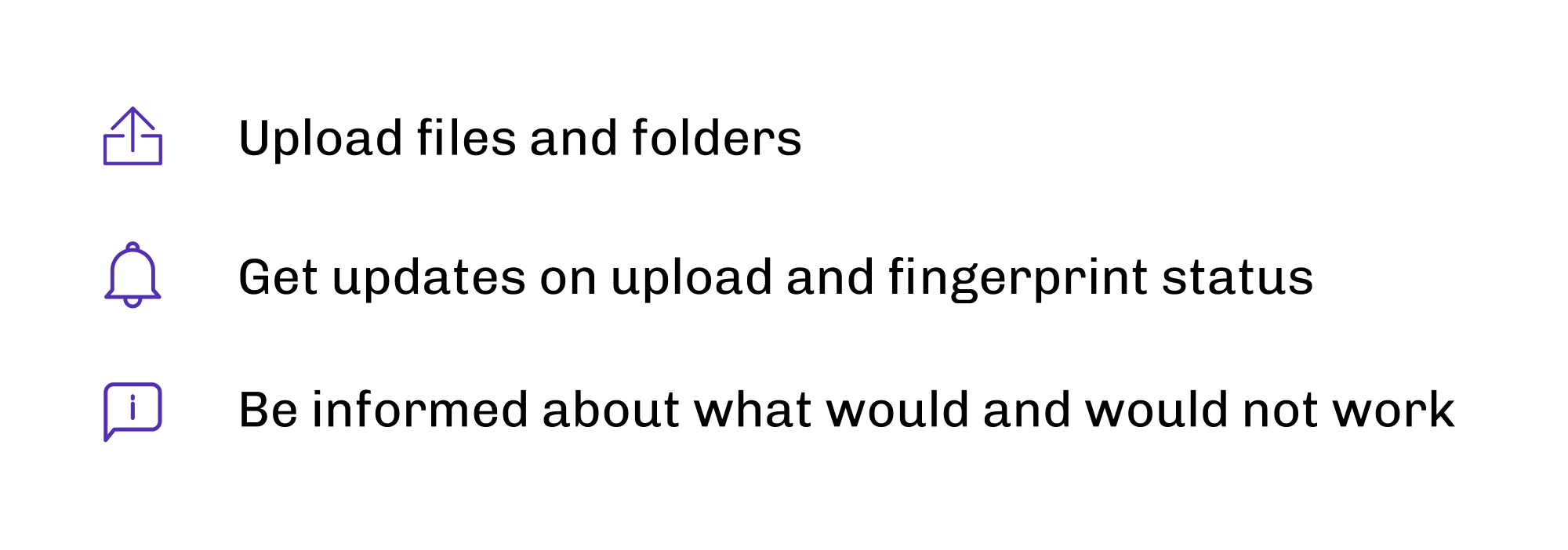
This is the very first step. This user flow includes key features:
Design challenges
How did I bridge communication gaps and address technology constraints to design the upload-fingerprint process?
Establish communication channel to grasp the upload-fingerprint process
The process of upload and fingerprinting was handled by different engineers, but initially, they were both unclear on how to resolve it.
1. I called several meetings with relevant stakeholders to grasp the technical aspects and reach a resolution
2. I then explored design prototypes to effectively communicate the interactive process, ensuring user clarity on upload and fingerprinting type, progress, and status.
3. After several rounds design iterations and walkthroughs with stakeholders, I settled on a design solution that everyone was happy about.
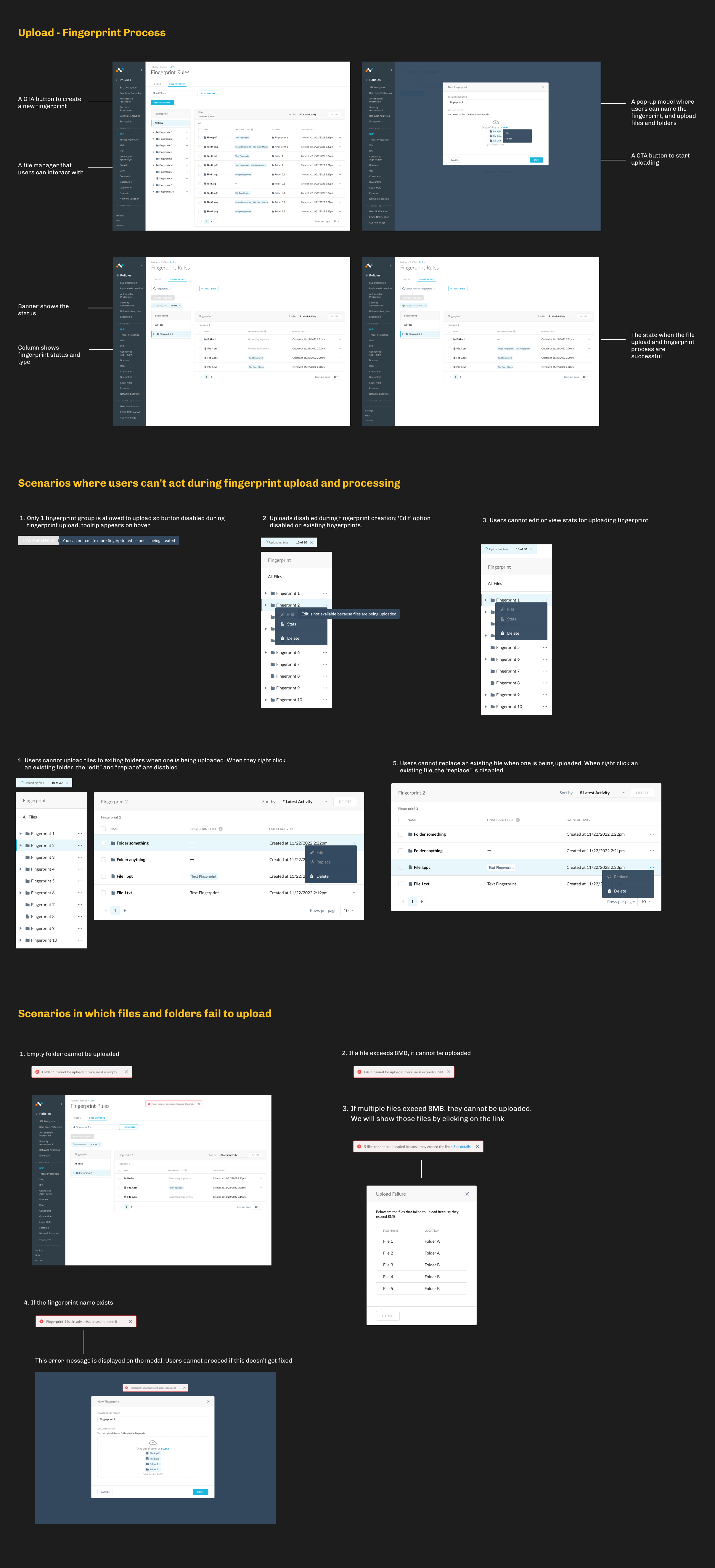
Design numerous scenarios to address technical limitationis of file upload
There were many technology constraints related to the upload and fingerprint process, and I needed to discover them.
1. I created design scenarios, reviewed them with engineers, and gathered feedback on their technical feasibility.
2. I successfully accommodated these constraints to design various scenarios effectively, such as outlining user actions during uploading and fingerprinting, handling paused or terminated processes, and managing failed uploads.
Design Decisions
Crafting the upload and fingerprint process with a comprehensive set of user scenarios.
User Flow #2
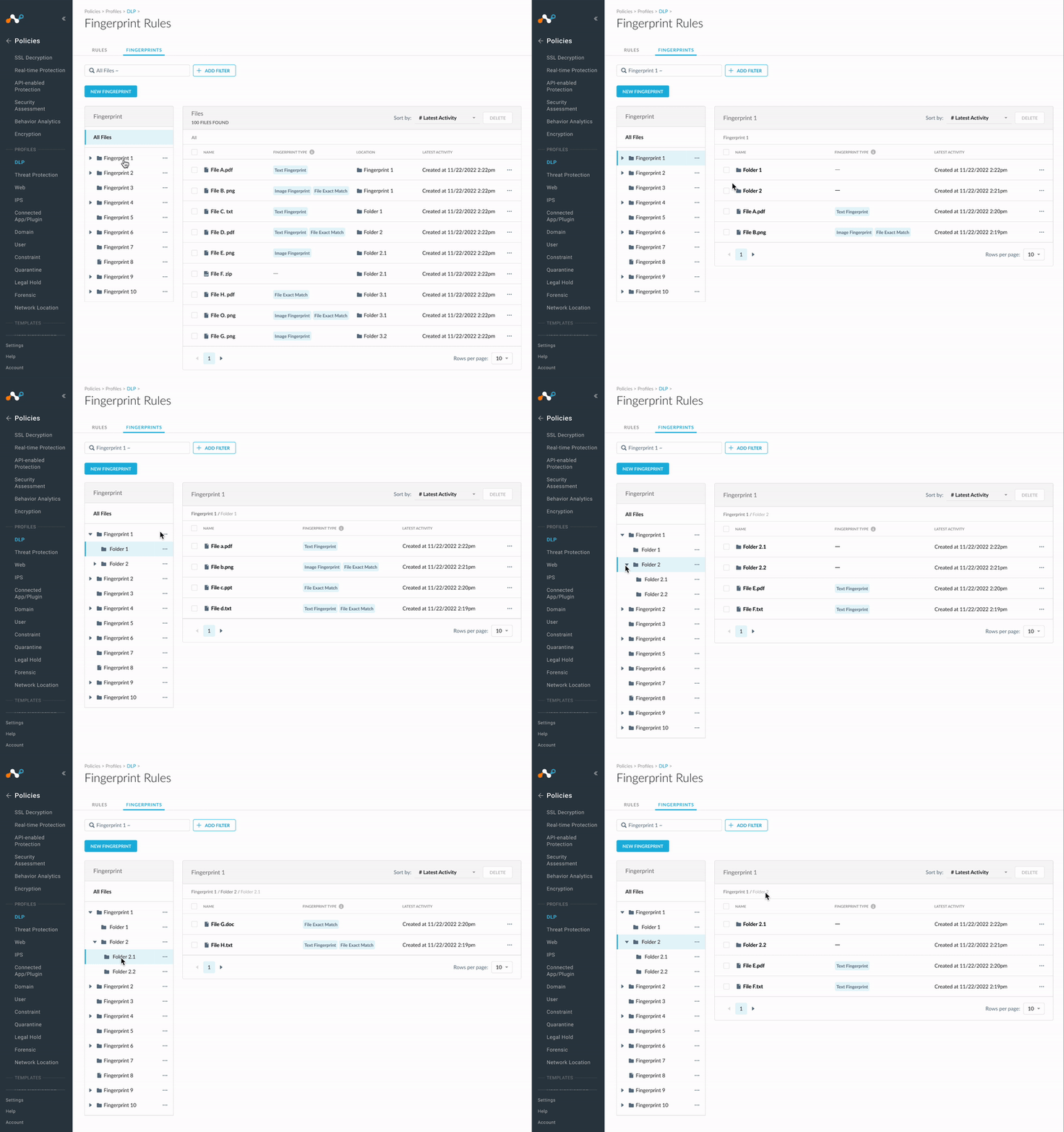
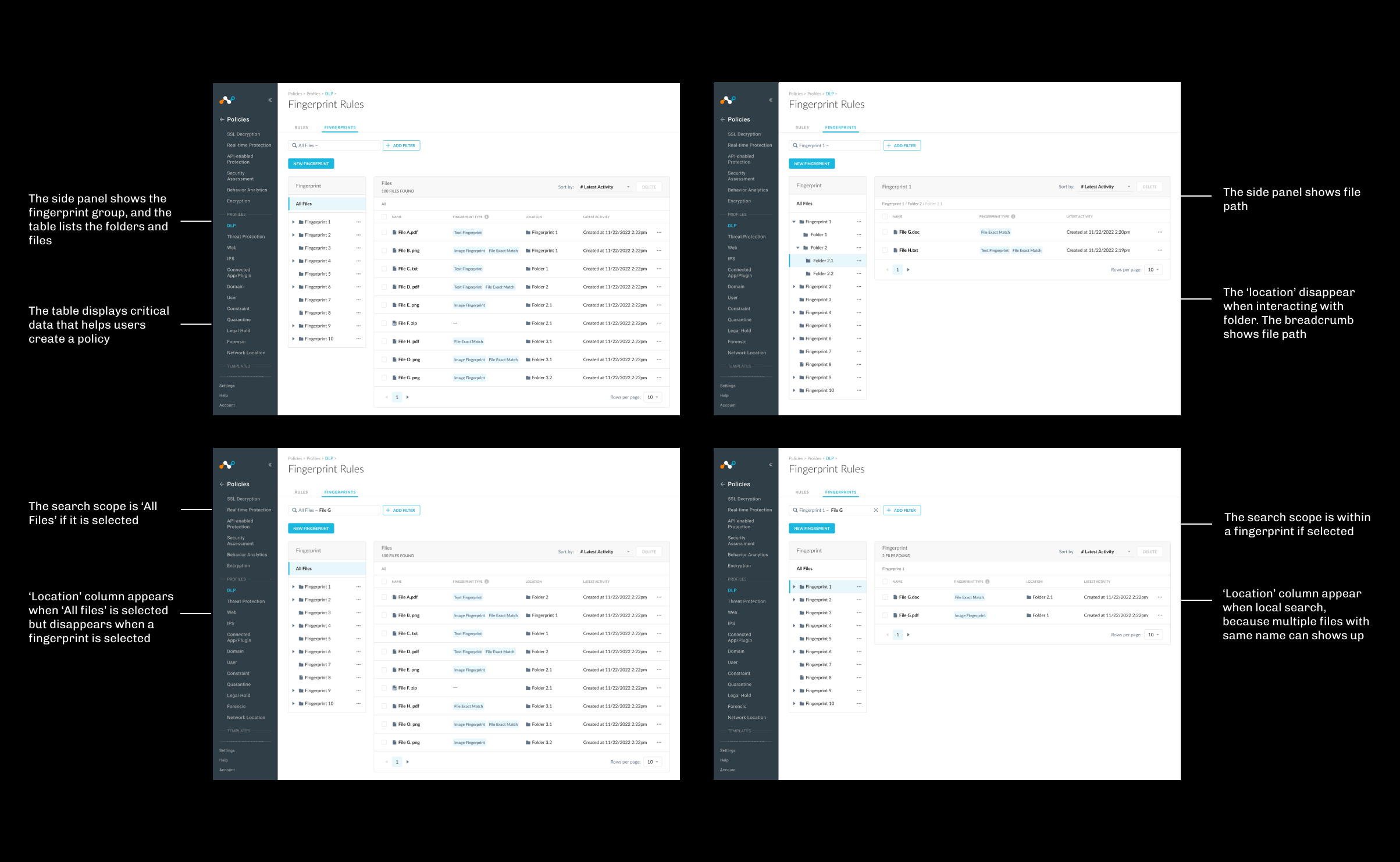
Locate a file to review critical information
Two major pain points mentioned are users' inability to locate files within each fingerprint group and their lack of visibility to view critical information. Therefore, the key features of this user flow include:

File navigation
Search a file
Design challenges of flow #2
How did I decide what data to display and balance stakeholder needs?
Transform user research insights to design decisions
The PRD didn’t specify what data to display on the file table, so it was up to me to navigate the ambiguity and propose a design to stakeholders.
1. Based on the research findings and initial meetings with stakeholders, I concluded that we should display the file type, path, fingerprint type, and latest activity.
2. I walked through the design, collected feedback from stakeholders, and iterated until everyone was satisfied.
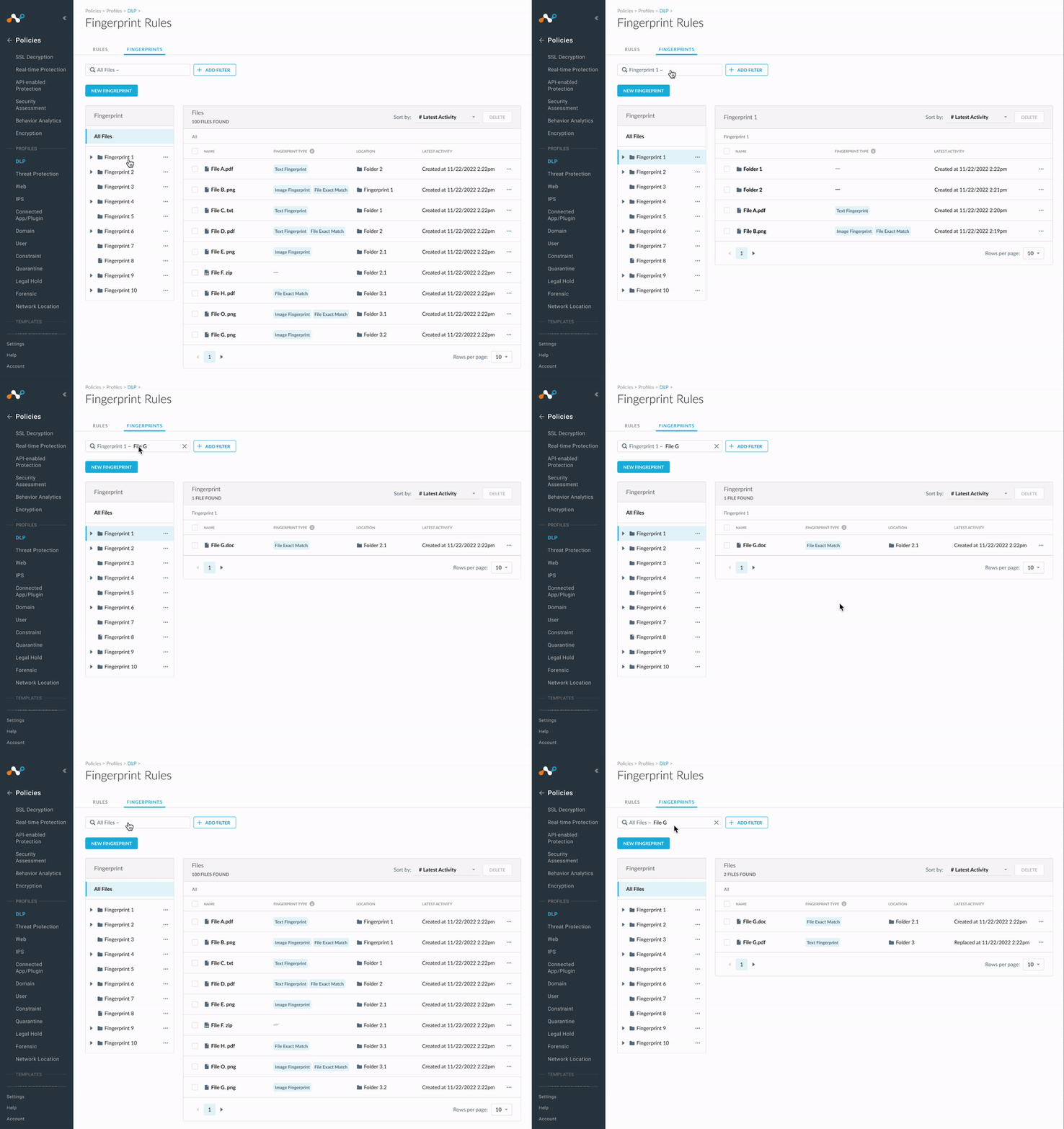
Global search vs Local search?
When it came to search, the PM, engineers, and I had different opinions. The stakeholder suggested having two search boxes, but I disagreed.
1. I reached out to the PM and Engineering Lead to understand their suggestion for two search boxes. They were concerned that a single search box might delay results due to the large volume of data.
2. I did a quick research to understand the major use cases of the search journey: what users are searching for, why they are searching, and the possible scenarios they might encounter while searching.
3. I designed a solution that combined global and local search into one search box, meeting all usability scenarios and receiving positive feedback from all stakeholders.
Design Decisions
Crafting the file navigation and search journey to help users locate files
User Flow #3
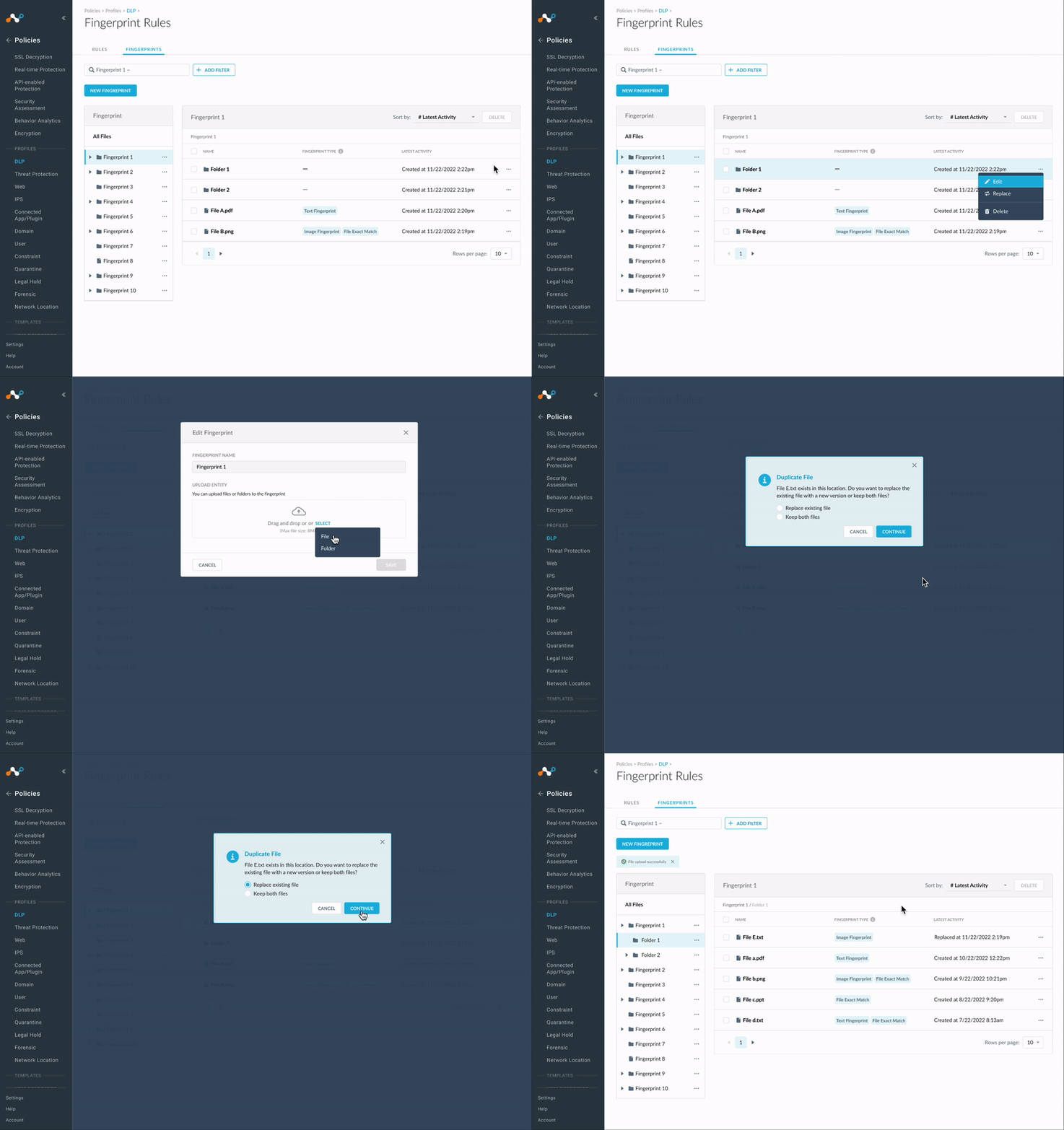
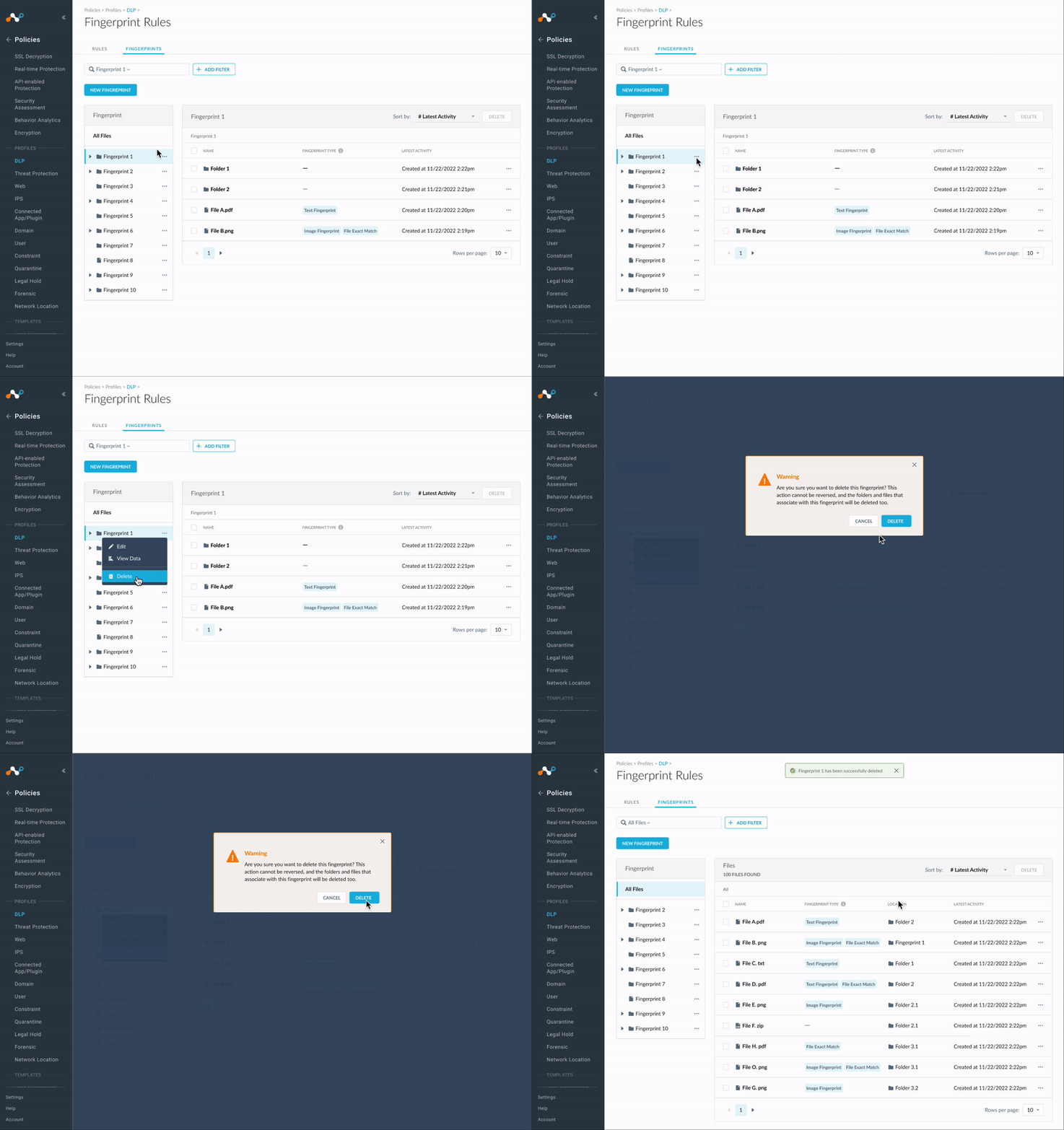
Manage and organize files
One pain point mentioned was that users were unable to manage files using virtual machines. Therefore, the key features of this user flow include:

Replace a file
Delete A fingerprint
evaluation
Result
The design has met the product goals and received positive feedback
We monitored and evaluated the design after its launch. All users who participated in our previous interviews have adopted the new feature and provided positive feedback.
90% of DLP users have adopted fingerprinting, started uploading documents, and applied the policy to detect images and CAD files. We’ve seen an average of 78% daily active users (DAU) over the 3 months following the completion of this 90% adoption.
A quick survey was sent to users for feedback. Of the completed surveys, 85% of respondents mentioned that the feature is very helpful and easy to use.

Learning
Show instead of speak. Let the design speak
A clear communication requires not only oral and verbal explanations but also visual elements. I noticed that when stakeholders asked how the design would address certain scenarios, presenting the solution visually right away was far more effective than just describing it verbally.
Look beyond design
When working at Netskope, the PRD is the first thing that I would look at. PMs emphasize business impact, designers prioritize user experience impact, and my insight is that both contribute to overall product impact.
Designers should not merely accept PRD proposals but instead go beyond, potentially redefining PRD by asking product and user-related questions and delving into more details. The discussions between PMs and designers can spark inspiration for achieving a more significant impact.